Getting started
Longshot is built on your PC, from your own copy of the game, by the Longshot Launcher. It takes three steps. We do not host, store, or distribute game files, ROMs, game dumps, or decryption keys.
1. Check your PC
Your copy of the game must be the supported version, and your PC needs a Vulkan 1.3 graphics card with 4 GB of video memory (12 GB and mesh shaders recommended), 16 GB of system memory (32 GB recommended) and about 60 GB free while building. See the system requirements.
2. Download the launcher
The recommended channel is chosen when you download.
Enable JavaScript to see the current launcher version.
This is the launcher's own version. The game it builds is numbered as a Longshot version, separately: the launcher downloads it for you.
Windows: run the setup. It asks once: Install (for you, no administrator rights, with a Start menu shortcut) or
Run portable. The portable zip needs no setup: unzip it and run LongshotLauncher.exe; it keeps its data in
LongshotLauncher-data beside it, so it can live on an external SSD. Windows may flag the launcher, which isn’t
code-signed yet: see antivirus warnings.
Linux and SteamOS: before opening the .AppImage, open its Properties in your file manager and enable
Allow executing file as program (the wording differs between desktops), or run
chmod +x LongshotLauncher-*-x86_64.AppImage. On a Steam Deck, read Playing on the Steam Deck
before your first build.
Download the launcher, not the builder: the files on Longshot’s releases page are what the launcher installs for you.
3. Build and play
Press Build on the launcher’s welcome screen and choose the Stable channel.
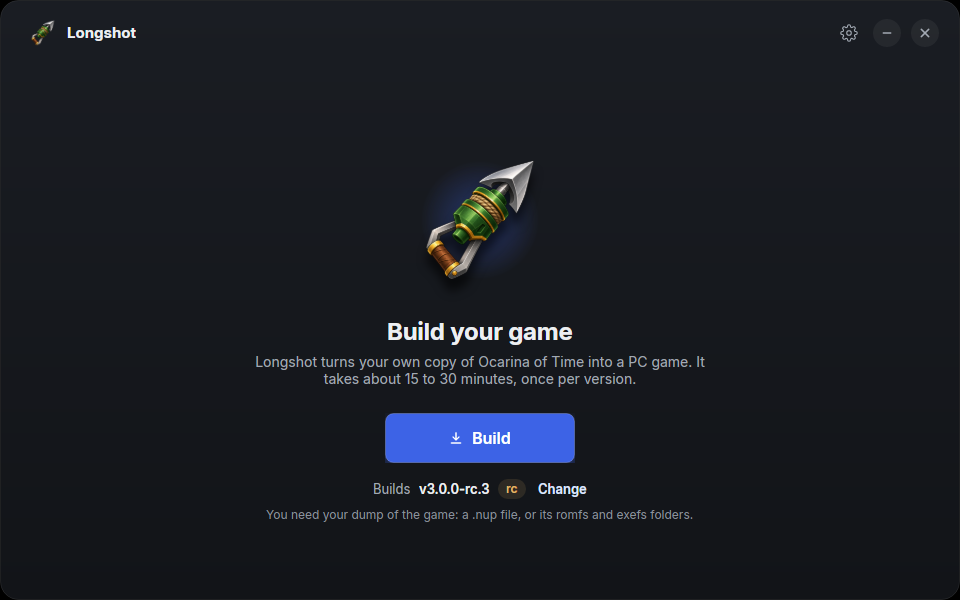
Launcher nightly-52-b1d9f7a9 on Linux, UI-only example. The selected game build is illustrative; your version may differ.
On Game files, choose your game from the list: the launcher finds .nup files in your Downloads, Desktop and
Documents folders. If yours isn’t listed, use Browse… to point at the file, or at the romfs and exefs folders.
Choose Next once the launcher has checked your selection; if it reports a different game build, compare its
message with the supported version.
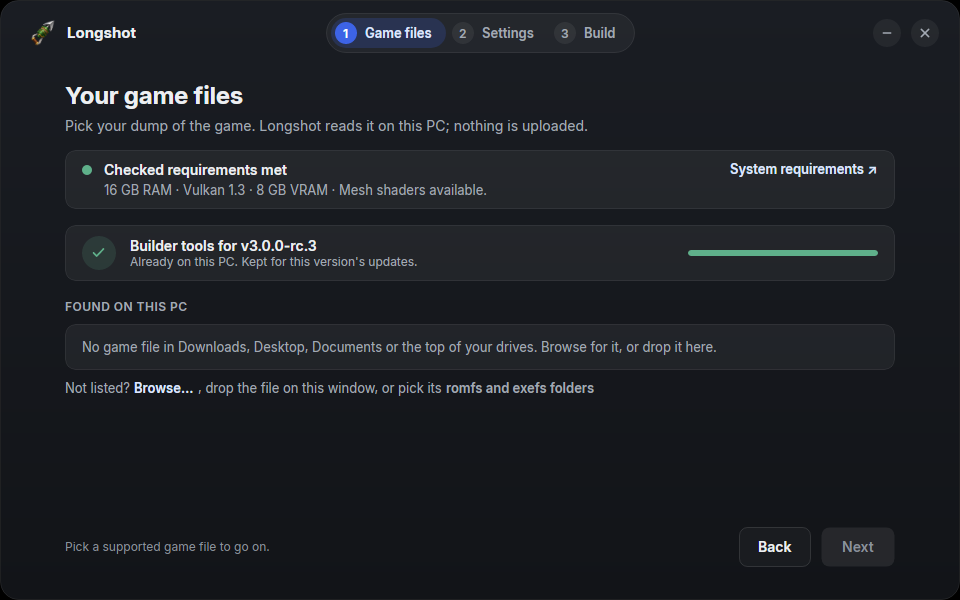
Same Launcher example, with illustrative requirements and tools-ready results. Your PC is checked when you use the launcher.
Choose where the game goes (Games\Longshot in your user folder on Windows, ~/Games/Longshot on Linux, by
default), its language and the options (build options). The launcher downloads this
version’s Longshot Builder, checks it against the release’s signed checksums, and builds the game: about 15 minutes
on a 12-core desktop, longer on a slower PC. Then press Play. The first start prepares the game’s shaders, so it’s
slower than the next ones. The launcher can also add desktop and Start menu shortcuts (on Linux, an applications menu
entry).
Next: the settings, and updates and saves. If something goes wrong, see common problems.